Boost sales with the Omniva Shopify integration and offer pickup point delivery with the PickupBird app. Give customers an easy way to collect parcels from Omniva pickup locations across the Baltics.
Deliver to 3,300+ Omniva pickup points across the Baltics
Easy map integration
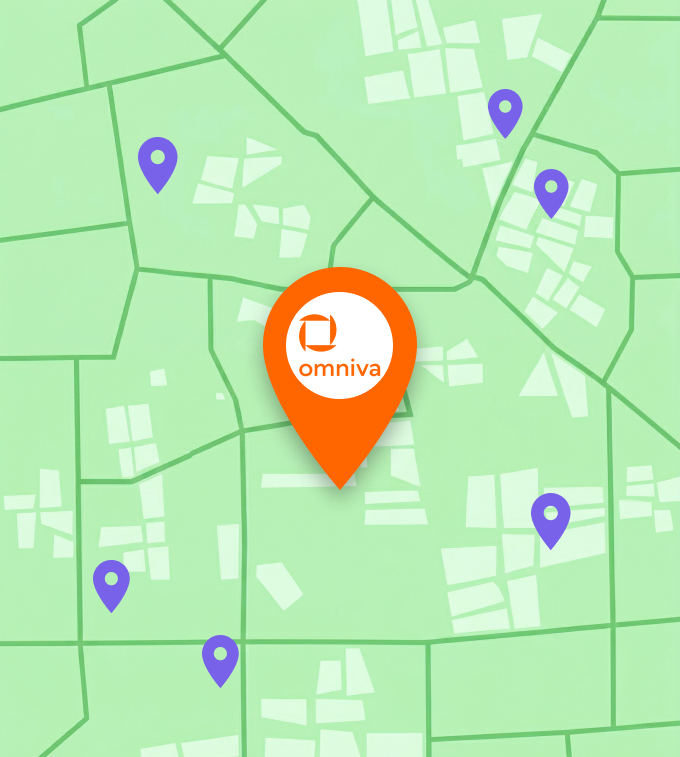
Show a Omniva Shopify pickup point map
Display Omniva parcel shops and lockers on an interactive, customizable map in your Shopify store’s Cart or Thank You page. With PickupBird’s built-in map, you don’t need to pay for a separate Google Maps API — it’s already included in your PickupBird plan.
For many carriers, full integration with automatic order sync is available. However, with Omniva, orders are not synced to the carrier. Orders will appear in your Shopify store and PickupBird admin, but you will need to go to Omniva’s platform to create shipments.
Brands on Shopify deliver with PickupBird
Where Omniva integration is available
Countries where Omniva for Shopify is supported via the PickupBird Shopify app.
Get pickup point selection up and running in minutes—no complex configuration required.
Cart page integration
Let customers choose their pickup point on the Cart page with a smooth, embedded map experience.
Thank You page integration
Display a pickup point map on the Thank You page to finalize delivery preferences after checkout.
Pickup point saved to order
The selected pickup point is added to the Shopify order data, making fulfillment simple and error-free.
Wide Shopify theme support
A great variety of Shopify themes are supported to seamlessly fit your store’s look and feel.
Connect multiple carriers
Manage multiple shipping providers in one app. No need to have separate carrier integrations.
Built for Shopify
More benefits of PickupBird
Use PickupBird to offer a smoother Omniva delivery experience on Shopify. Let customers find nearby pickup points on an interactive map for a simpler checkout and better conversion potential.
Quick setup, no coding is needed
Available for all Shopify plans
Compatible with fulfillment centers
Free chat and email support
Add pickup points to Shopify. Simple. Fast. Free to start.
Enjoy Free until you actually use PickupBird at scale – or Try Pro 14-days free.
The app has improved our work a lot, especially with a new feature we needed. Five stars well-deserved for delivering a user-friendly and effective solution! A special shoutout to the support team – always friendly, prompt, and genuinely helpful.
1902krdy
★★★★★
The app works very well, it has brought in more customers thanks to the integrations, 10/10 customer service, I am absolutely satisfied with them 🙂 I recommend it to everyone!
homokfestés.hu
★★★★★
I was really looking forward to this app because the developer company does extremely high quality work in all areas related to Shopify. This app is no exception: a very well done product.
Le Til Kúria
★★★★★
Very useful app, easy to use and reliable. We really enjoy using it and can only recommend it to everyone.
Urban Look
★★★★★
This app fills up a really important missing space in the Central European e-commerce. It is super easy to set up, works fast, and responds immediately.
PulóWear
★★★★★
We chose PickupBird because the app can handle a wide variety of shipping options and companies. The app fulfills all of our needs and it is easy to use, we would recommend it! The team is very professional and helpful, if there is a solution for a problem, they will find it!
Frequently Asked Questions
How do I start using PickupBird?
Install the PickupBird app from the Shopify App Store and follow the setup guide to connect your shipping partners and configure your preferences.
How do I set up Omniva as a shipping provider?
Open the Shipping Providers section in the PickupBird app and select Omniva from the supported providers. Then click on its name and Activate the provider.
Do I need a contract with Omniva?
Yes, you need a registration and a contract with Omniva to create shipments. PickupBird lets you display Omniva pickup points on an always up-to-date interactive map in your store, and the selected location is automatically added to the Shopify order details. Orders will appear in both your PickupBird and Shopify admin. You do not need to connect your Omniva credentials to PickupBird. To create shipments and handle delivery, you will need to go to Omniva’s own platform, as PickupBird does not handle the shipping itself.
How will PickupBird appear in my store?
Omniva pickup points can be displayed on an interactive map on the Cart or Thank You page in your Shopify store. The map layout can be customized to match your store.
Start shipping with Omniva in your Shopify store today